Day 1
PostUp is an application that helps busy, mostly work from home employees, find a nice spot to set up shop and get some work done. Whether it be a coffee shop or a library, the application helps users find a little home away from home for a couple hours. The problem here to resolve is that it can be difficult to find local spots that have all of the generic amenities you need. Listening to the challenge brief, it showed just what the generic user wants out of a product like this. The product we created helps users do just that. Below, is the end-to-end user experience of the application.
Open the app -> login -> share location -> locate closest spot with WiFi & other amenities -> look at reviews from past customers -> arrive at location
How Might We & Notes
How might we help users find local spaces with WiFi, food, bathrooms and the best place to work efficiently and productively.
How might we create a product that allows busy, on the go, users to find a place they need to work with all of their necessary amenities?
How might we contribute to the success of work from home users who just want to get out of the house every once in a while?
- User usually looks for coffee shops
- Distance is important to the user and a map is easier to visualize for the user
- Looks at photos of places
- Doesn't like small places
- User prefers a lot of photos of the space
- When the place is open/closes
- Busy time
- would love to see if seats and tables are available
- wants to know about amenities like wifi, outlets, bathrooms
- doesn't want the process of finding a place to be time consuming
Day 2

The second day brought us straight to sketching. Below, is pictured the most important pages of the whole application. This came after countless hours of brainstorming sessions of sketching. Users want to be able to get results fast and not waste time. The realization that less is more in this product came to us fairly quickly, but we did not want to sacrifice the amount of information on the pages. The app does not have a lot of pages but it does have a lot of information.
Day 3
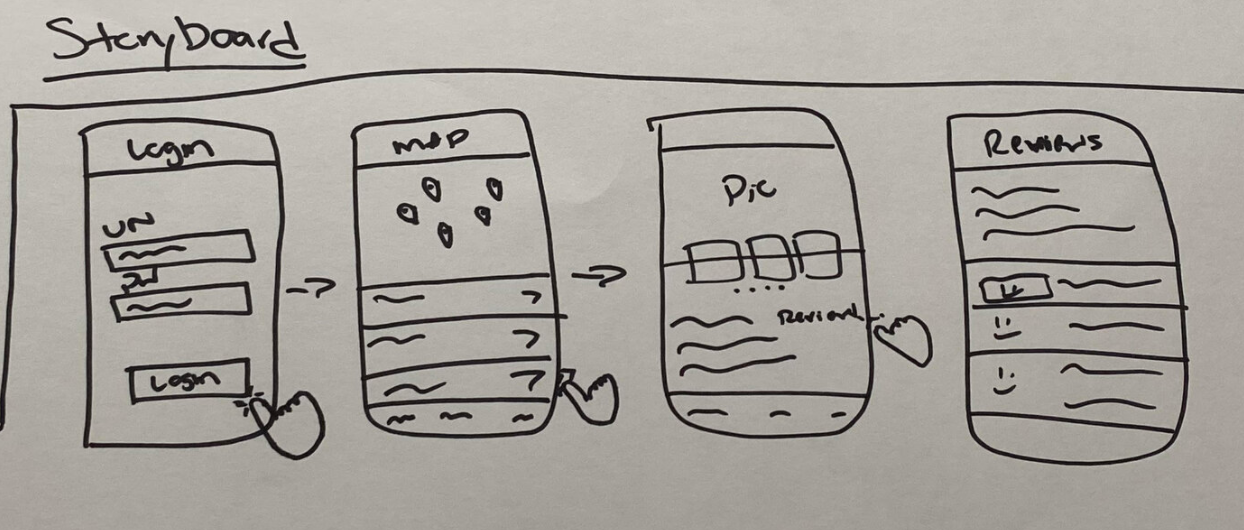
After hours of sketching and brainstorming, the storyboard became fairly easy to put together. Like previously, stated we wanted to keep the app extremely simple, fast and efficient for the user. Not too many pages, and not too many steps for the user to take to get to the end result. The mini story board is pictured below.
Day 4
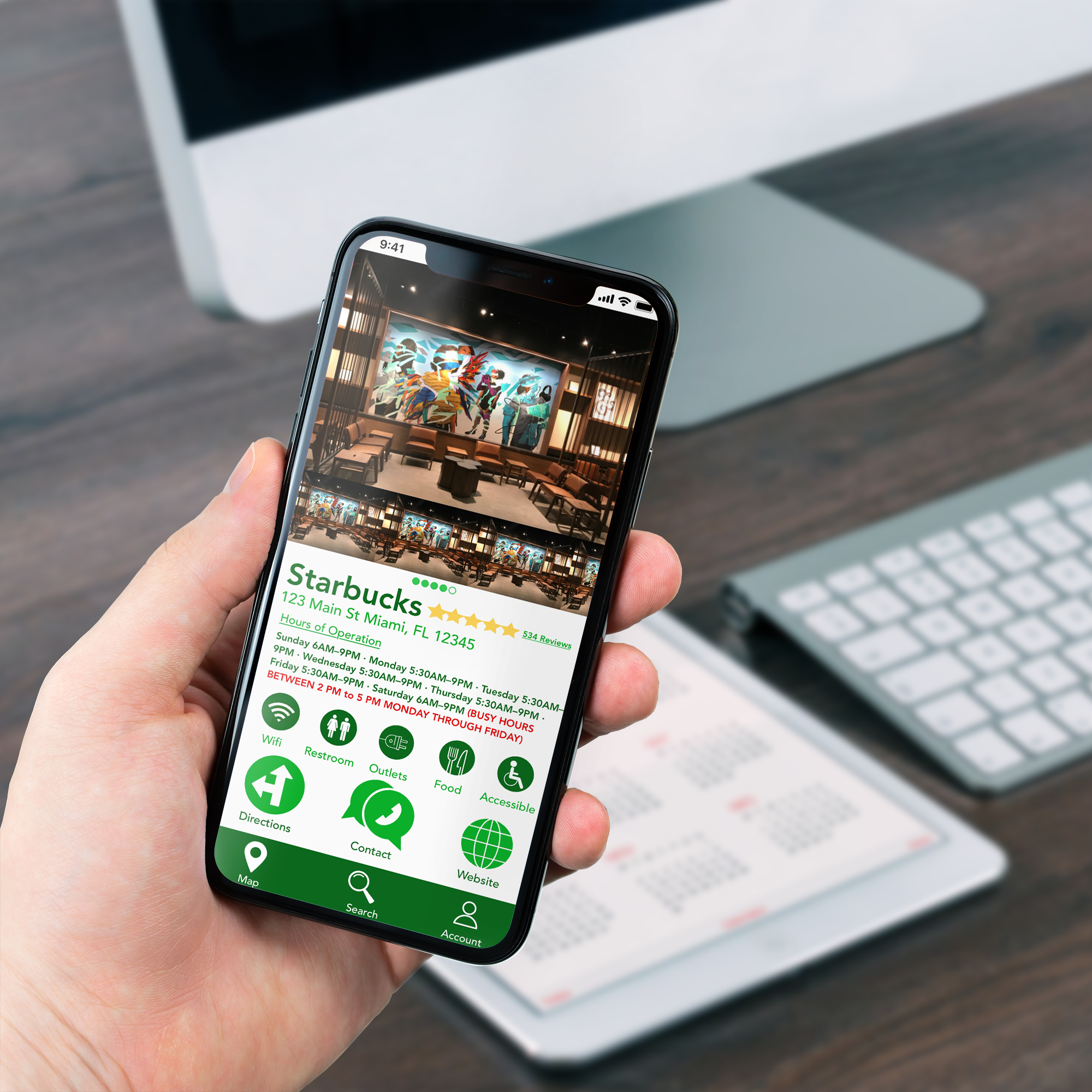
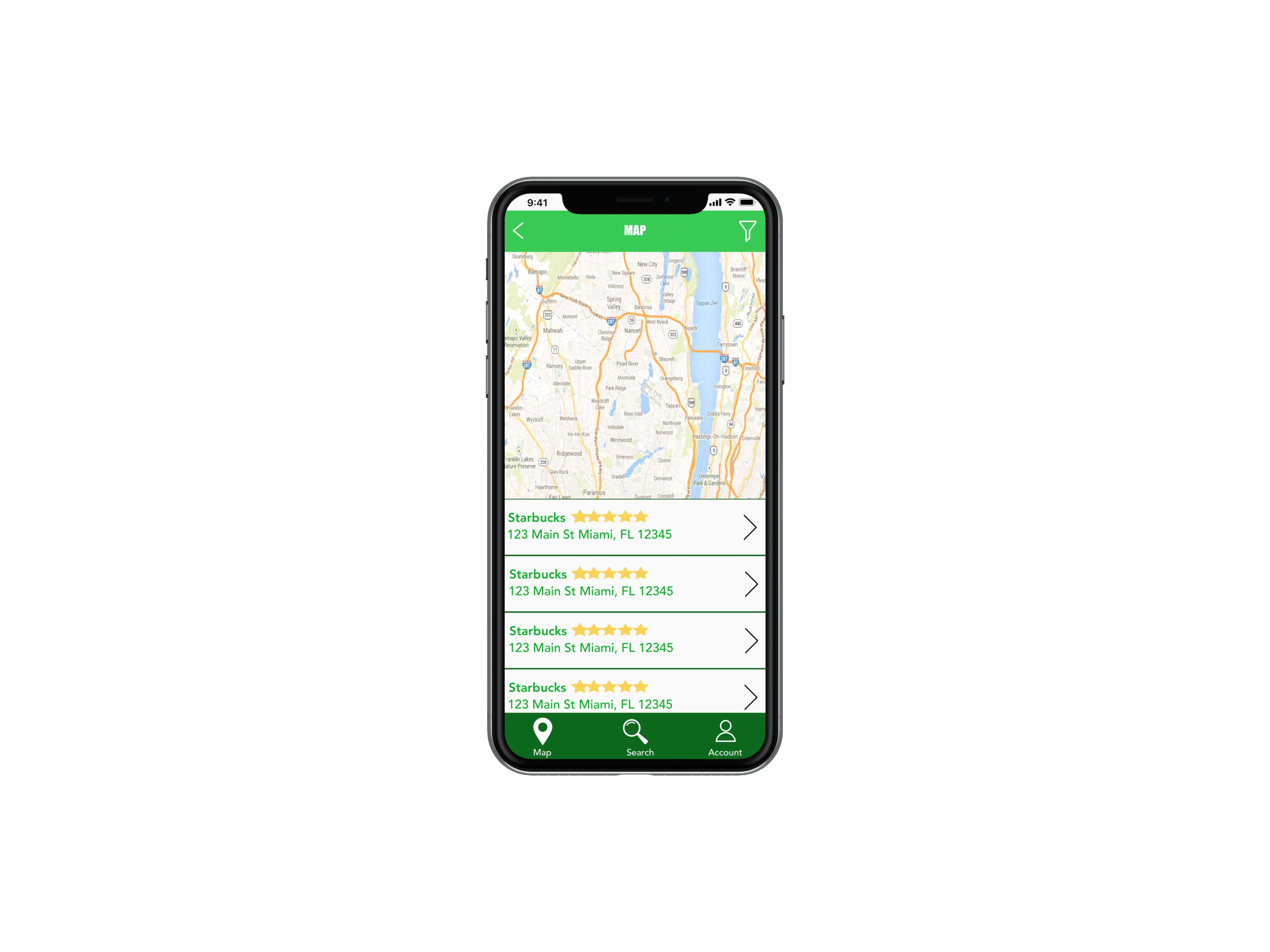
Prototyping brings all of the ideas to life. We went with a very light and inviting color palette, mostly focusing on different shades of green. Again, as previously stated we wanted to focus on the smallest amount of screens as possible but still providing the most information possible. We compartmentalized the information by first adding the page with the map that will find local places near the user based on location. Second, we included all of the location information on the location page. It checks all of the boxes from the challenge brief. Finally, we included reviews so that users can avoid going somewhere that isn’t up to par with their standards.
Day 5
The final day included testing the five users that were recruited from the very beginning stages of the sprint. These users were asked to go through the prototype of the product and they were asked questions along the way. As a whole, every user did not have a problem with the design and/or maneuvering through the application. The only feedback received was about wanting to filter certain things to make the options that come up a bit more concise. That caused us to add the filter option to the product.
Takeaways
A design sprint is an expedited version of the UX/UI process. This experience was incredible and was an amazing way to test out brainstorming quickly and practice effective time management.
This application was the best choice for me due to the current climate of the country and the world. Most people are working from home but some want to still get out of the house and feel some type of normalcy. This eliminates the hassle of the users having to find a place with all of the necessary amenities on their own. This even comes in handy when users are traveling and don’t know their area and need the nearest coffee shop to send that important email.